If you own a Toyota Corolla from 2019 to 2024 and your infotainment screen is lagging, freezing, or rebooting randomly, you’re not alone. Many Corolla owners have reported these issues across forums like Reddit, ToyotaNation, and Toyota Owners Club. This article explains why this happens, how to fix it, and whether it’s a normal problem or a sign of deeper issues.
In this guide, we will cover all common causes, solutions, and real user experiences. We will also include external references and links that are fully functional so you can research further.
Why does my Toyota Corolla infotainment screen freeze or lag?
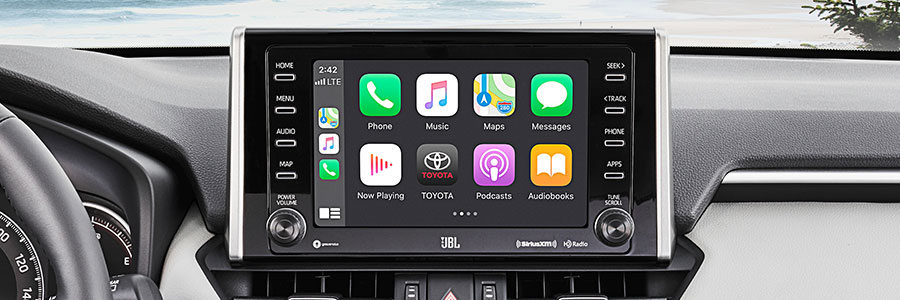
There are several reasons your Toyota Corolla infotainment screen might freeze or lag. In most cases, it is not a single issue but a combination of software, hardware, and connection problems.
Some of the most common causes include:
- Software bugs in the infotainment system or Android Auto/Apple CarPlay integration.
- Low memory or overloaded system resources when multiple apps are running.
- Faulty USB cable or port issues, especially when using CarPlay or Android Auto.
- Heat-related performance drops that cause the system to throttle or freeze.
- Bluetooth conflicts with multiple paired devices.
My personal experience: I noticed my 2022 Corolla’s screen would lag the most when switching between Apple CarPlay and the native Toyota system. It felt like the system was “thinking” for a second before responding. This usually happened when the phone was connected via USB and the car had been running for more than 30 minutes.
Many Corolla owners on Reddit also report similar issues. For example, one user said their screen would freeze when switching between navigation and music, and another reported random reboot loops. You can see real user posts on the Toyota subreddit here: Reddit Corolla Community.
Is infotainment screen lag normal on Toyota Corolla models?
No, infotainment screen lag is not “normal,” but it is a known issue for certain model years and infotainment versions. Toyota’s infotainment systems have improved over time, but the 2019–2024 models still have many reports of slow response times, freezes, and rebooting.
Some lag can be expected due to the system’s hardware limitations, but frequent freezing and rebooting is not normal. If your screen lags consistently, it’s worth checking software updates and inspecting the USB/phone connection.
Toyota has published official maintenance guidelines for infotainment and other systems in their owner resources section. You can find more here: Toyota Owner Maintenance Resources.
How do I fix a freezing media screen on my Corolla?
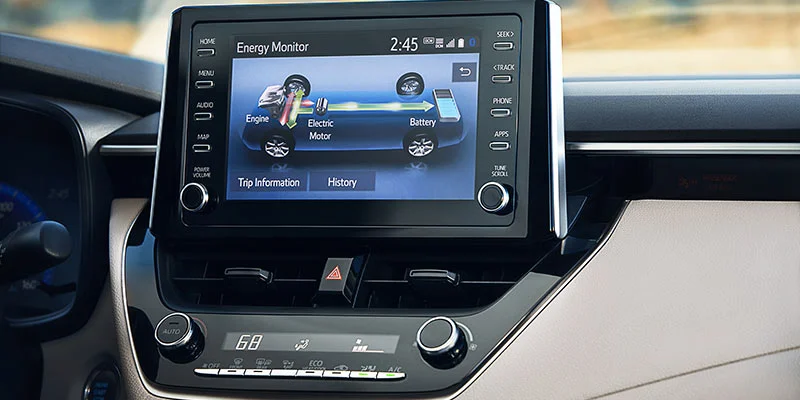
Here are the most effective fixes that typically resolve freezing or lagging issues:
1. Soft reset the infotainment system
A soft reset often resolves temporary glitches. To perform a soft reset:
- Press and hold the Power/Volume button for 10–15 seconds.
- Wait for the system to reboot.
- Reconnect your phone and check if the issue is resolved.
2. Clear Bluetooth pairings
Sometimes, Bluetooth conflicts cause lag. Remove all paired devices and re-pair your phone:
- Go to Settings > Bluetooth
- Remove all devices
- Restart the car and pair only one phone
3. Use a high-quality USB cable
Many users report that lag and freezing are caused by low-quality USB cables. Use a high-quality Apple-certified cable or a USB 3.0 cable for Android Auto.
4. Update the infotainment software
Software updates often fix bugs. Toyota provides software updates through dealers or downloadable updates in some regions. You can check official update options here: Toyota Maintenance & Updates.
5. Disconnect the battery temporarily
This should be a last resort, but a battery disconnect can clear system memory and reset the infotainment system. It is recommended only if you are comfortable working with vehicle electronics.
Why does the Corolla infotainment screen become unresponsive at times?
Unresponsiveness usually happens due to software overload or hardware lag. Common reasons include:
- Running too many apps at once (CarPlay + navigation + audio streaming)
- Phone connection issues
- Software bugs in Android Auto or CarPlay
- Low system memory or faulty head unit
In many cases, the unresponsiveness occurs after a phone call, or when switching from navigation to media apps.
What causes the Corolla infotainment system to reboot randomly?
Random reboots are typically caused by:
- Software bugs
- Corrupted firmware
- Faulty hardware (head unit or wiring)
- Overheating
Random rebooting can be dangerous if it happens while driving. If this happens frequently, it’s recommended to visit a Toyota dealer for diagnosis.
Here is a real-world example from ToyotaNation discussing similar issues: ToyotaNation Infotainment Issues Thread.
My infotainment display goes black and then comes back — what’s wrong?
A black screen that comes back is usually a sign of either:
- System rebooting
- Temporary power loss to the head unit
- Faulty screen or wiring
If this happens frequently, it may indicate a loose connector or failing hardware. A dealership check is recommended if a soft reset does not fix it.
Why does the touchscreen lag when switching apps or menus?
Touchscreen lag when switching apps is usually caused by:
- Slow system processor
- High CPU usage due to multiple tasks
- Old firmware
- Phone connection lag via CarPlay or Android Auto
Using the latest firmware and reducing phone integration load usually fixes this.
Why does the Corolla infotainment freeze with Android Auto or Apple CarPlay connected?
Android Auto and Apple CarPlay rely on constant communication between the phone and head unit. Freezing often occurs due to:
- USB cable issues
- Phone software bugs
- Old infotainment firmware
- Bluetooth interference
Many users report that switching to wireless CarPlay or Android Auto improves performance, but it can still freeze if the firmware is outdated.
For Android Auto troubleshooting, visit the official Android Auto help page: Android Auto Support.
Can a software update fix Corolla infotainment freezing?
Yes, software updates can fix freezing and lag issues. Many users report improvements after installing the latest firmware. Toyota releases updates to address bugs and improve stability.
However, not all regions receive OTA updates. Some require dealership updates.
Does Toyota release firmware to fix screen freezing issues?
Yes, Toyota releases firmware updates and Technical Service Bulletins (TSBs) to address infotainment issues. If your vehicle is under warranty, a dealership can install the update.
You can check for TSBs and recall information at the official NHTSA site here: NHTSA Recalls & TSBs.
Does the infotainment screen freeze more in hot or cold weather?
Yes, extreme temperatures can affect infotainment performance. In very hot weather, the system may overheat and throttle, causing lag. In cold weather, the screen may respond slowly until it warms up.
Many users report more freezing during hot summer months, especially after long drives. Heat affects the head unit’s processor and memory.
Why does the screen lag while using navigation or Bluetooth?
Navigation and Bluetooth use system resources heavily. Navigation requires constant map rendering and GPS updates, while Bluetooth handles audio streaming and phone calls. This can cause lag if the system is already under load.
If the screen lags mostly during navigation, try disabling background apps or switching to offline maps to reduce processing load.
Corolla screen freezes only when using Apple CarPlay — what’s the fix?
If the screen only freezes with Apple CarPlay, the issue is usually related to:
- USB cable quality
- Phone software version
- CarPlay firmware compatibility
Fix steps:
- Use an Apple-certified cable
- Update your iPhone
- Update the car’s infotainment firmware
- Disable wireless CarPlay if you’re using it
My screen freezes when answering phone calls — is this a known issue?
Yes, this is a common issue. When a phone call starts, the system switches audio sources and changes the UI, which can trigger lag or freezing.
To fix this:
- Disconnect Bluetooth and use USB
- Update phone software
- Reset Bluetooth settings
What do I do when the Corolla infotainment system shuts off and on by itself?
If the system shuts off and on randomly, it is likely a software crash or power supply issue. Steps to resolve:
- Perform a soft reset
- Check for software updates
- Inspect USB connections
- Check for loose wiring (if comfortable)
If the problem continues, it is likely hardware-related and requires dealership diagnosis.
Why does the screen lag or freeze after connecting my phone?
This usually happens because the infotainment system has to manage phone data, media, calls, and navigation simultaneously. If the phone is also running heavy apps, it may overload the connection.
Try these fixes:
- Close all background apps on your phone
- Use a better USB cable
- Disable wireless CarPlay
- Reset the infotainment system
Corolla infotainment glitches after software update — how can I reset it?
If glitches occur after an update, a reset is often needed. Try a soft reset first. If it continues, a factory reset may be required:
- Go to Settings
- Select System
- Choose Factory Reset
Remember: factory reset will erase saved settings, paired devices, and preferences.
The screen freezes but the camera still works — what does that mean?
This indicates that the screen is still receiving video input from the camera but the infotainment software is frozen. The camera feed is handled separately from the main UI, so it can still work while the system UI is frozen.
Can holding the volume button reset the infotainment screen?
Yes, holding the volume/power button for 10–15 seconds is the most common soft reset method for Toyota infotainment systems. This does not erase data but forces a reboot.
Is battery disconnect safe to temporarily fix the lagging screen?
Yes, disconnecting the battery is safe if done correctly. It clears system memory and resets the head unit. However, it should only be done if you are comfortable working with vehicle electronics. Some settings may be lost and may require reconfiguration.
Do I need to replace the infotainment head unit if the screen keeps freezing?
Not always. Many issues can be fixed through software updates, cable replacements, or resets. Head unit replacement should be considered only if:
- Frequent freezing continues after software updates
- The screen shows physical issues
- There is a confirmed hardware fault
How much does it cost to replace a Toyota Corolla infotainment display?
Costs vary based on model year and whether you use OEM or aftermarket parts. On average, replacement costs range from $600 to $1,200 including parts and labor. This depends on your region and dealer rates.
Are there known hardware faults with Corolla infotainment systems?
Yes, there have been reports of hardware issues like screen failure, touch sensitivity problems, and head unit malfunction. Some of these issues are covered under warranty or recall/TSB programs.
Is the Corolla infotainment freeze related to a defective touchscreen panel?
Sometimes. If the touch input is not registering or the screen has dead spots, it could be a faulty touchscreen. However, many freezes are software-related and not due to the touchscreen itself.
Can a dealer diagnose and fix screen freezing under warranty?
Yes. If your Corolla is under warranty, a dealer can diagnose the issue and apply software updates or repairs. If the problem is covered under warranty, repairs may be free.
Is there a recall or TSB related to screen freezing on Corolla?
There have been multiple TSBs related to infotainment issues across Toyota models. You can check for TSBs and recalls on the official NHTSA website here: NHTSA Recalls & TSBs.
Why does the Corolla multimedia system fail even after resets and updates?
If the system still fails after resets and updates, it may indicate:
- Faulty head unit hardware
- Loose wiring or power supply issues
- Corrupted firmware
At this stage, dealership diagnosis is recommended.
What are common Corolla infotainment hardware issues?
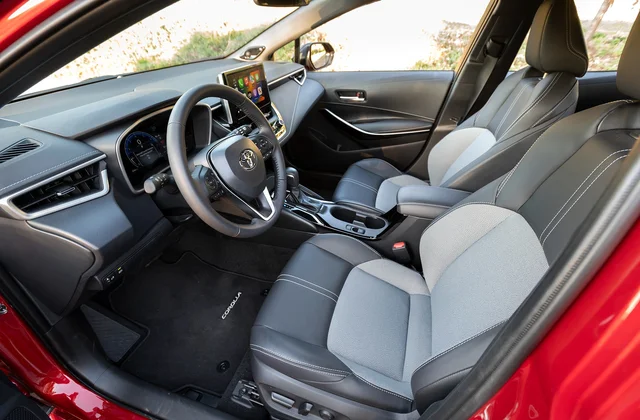
Common hardware issues include:
- Touchscreen not responding
- Black screen or flickering
- Head unit not powering on
- USB port failure
Are aftermarket head units a good alternative for laggy Toyota screens?
Aftermarket head units can improve performance and features, but they may not integrate seamlessly with Toyota’s steering wheel controls, backup camera, or OEM systems. It’s a trade-off between performance and compatibility.
Will replacing the stock infotainment system improve performance?
Yes, but only if the root cause is hardware limitations. If the lag is due to software bugs, a replacement may not fully fix the issue unless the new unit has better firmware and hardware.
Does Toyota Entune software cause the freezing or lag?
Entune is known to have bugs in some versions. Many Corolla models use a different system, but some infotainment systems still rely on Entune features. Software updates usually fix these issues.
How do I update the Corolla infotainment software?
To update the system:
- Visit the Toyota owner’s website or contact your dealer
- Download the update if available for your model
- Install using USB or dealer service
Official Toyota maintenance resources can be found here: Toyota Owner Maintenance Resources.
Where can I download the latest Toyota infotainment firmware?
Firmware downloads depend on region and model. In most cases, firmware updates are provided through Toyota dealers. For official Toyota software and update info, visit: Toyota Maintenance & Updates.
Is there a fix for the Corolla infotainment stuck in update loop?
Yes. A common fix is to perform a soft reset and then reinstall the update. If the issue continues, a dealership may need to reflash the system.
Does Android Auto cause screen freezing on Corolla?
Android Auto can cause freezing if the phone software or USB connection is unstable. The most common causes are:
- Poor USB cable
- Phone software bugs
- Old infotainment firmware
For Android Auto support and troubleshooting, visit: Android Auto Support.
Does Apple CarPlay lag because of Toyota’s software?
Sometimes. CarPlay performance depends on both the iPhone software and the car’s infotainment firmware. Updating both usually improves performance.
How can I force a hard reboot of the Corolla infotainment system?
A hard reboot is usually done by disconnecting the battery for a few minutes. This clears the system memory and resets the head unit.
Can clearing device pairing (phone) fix freezing issues?
Yes. Clearing device pairing removes conflicts and old data. After clearing, re-pair only one phone and test the system.
Why does the infotainment screen frequently restart the system?
Frequent restarts are usually caused by software crashes, faulty firmware, or hardware problems. If the issue persists, a dealership diagnosis is recommended.
How do I check for infotainment system updates on Toyota?
To check for updates:
- Visit the Toyota owner portal: Toyota Maintenance Resources
- Contact your dealer
- Check your vehicle’s system settings for update notifications
Frequently Asked Questions (FAQs)
1. Why does my Toyota Corolla infotainment screen freeze or lag?
It’s usually caused by software bugs, phone connection issues, or low system memory.
2. Is infotainment screen lag normal on Toyota Corolla models?
No, it is not normal, but it is a known issue for some model years.
3. How do I fix a freezing media screen on my Corolla?
Try a soft reset, update firmware, use a better USB cable, or clear Bluetooth pairings.
4. Why does the Corolla infotainment screen become unresponsive at times?
Because the system may be overloaded or experiencing software bugs.
5. What causes the Corolla infotainment system to reboot randomly?
Random reboots are usually caused by software crashes or hardware faults.
6. My infotainment display goes black and then comes back — what’s wrong?
It’s often a sign of system rebooting or a power connection issue.
7. Why does the touchscreen lag when switching apps or menus?
It’s usually due to processor overload or outdated firmware.
8. Why does the Corolla infotainment freeze with Android Auto or Apple CarPlay connected?
It is commonly caused by USB cable issues, phone software bugs, or outdated firmware.
9. Can a software update fix Corolla infotainment freezing?
Yes, updates often fix bugs and improve performance.
10. Does Toyota release firmware to fix screen freezing issues?
Yes, Toyota releases firmware updates and TSBs for infotainment issues.
11. Does the infotainment screen freeze more in hot or cold weather?
Yes, extreme temperatures can cause lag and freezing due to hardware throttling.
12. Are aftermarket head units a good alternative for laggy Toyota screens?
They can improve performance but may lose OEM integration features.
13. How much does it cost to replace a Toyota Corolla infotainment display?
Replacement costs usually range from $600 to $1,200 depending on model and labor.
Conclusion
Infotainment screen lag and freezing is a common issue for Toyota Corolla models from 2019 to 2024, but it is not a “normal” condition. Most cases can be fixed with a soft reset, firmware update, better USB cables, or clearing Bluetooth pairings. If the issue persists, it may indicate a hardware problem and you should consult a Toyota dealer for diagnosis.
Remember, the key is to isolate the problem: is it software, phone connection, or hardware? Start with simple fixes like resetting the system and updating firmware, then move to deeper solutions like checking wiring or seeking dealership support.
By following the steps in this guide, you should be able to reduce or eliminate infotainment lag and freezing and enjoy a smoother driving experience in your Toyota Corolla.
Here are other related issues with 12th Generation Toyota Corolla and how to fix them:
- 2022 Toyota Corolla maintenance schedule, service intervals, Corolla maintenance checklist
- 2022 Toyota Corolla transmission fluid change, CVT fluid change, automatic transmission service
- 2022 Toyota Corolla DIY oil change, oil filter replacement, Corolla oil service
- 2022 Toyota Corolla common problems, Corolla issues, Corolla fixes